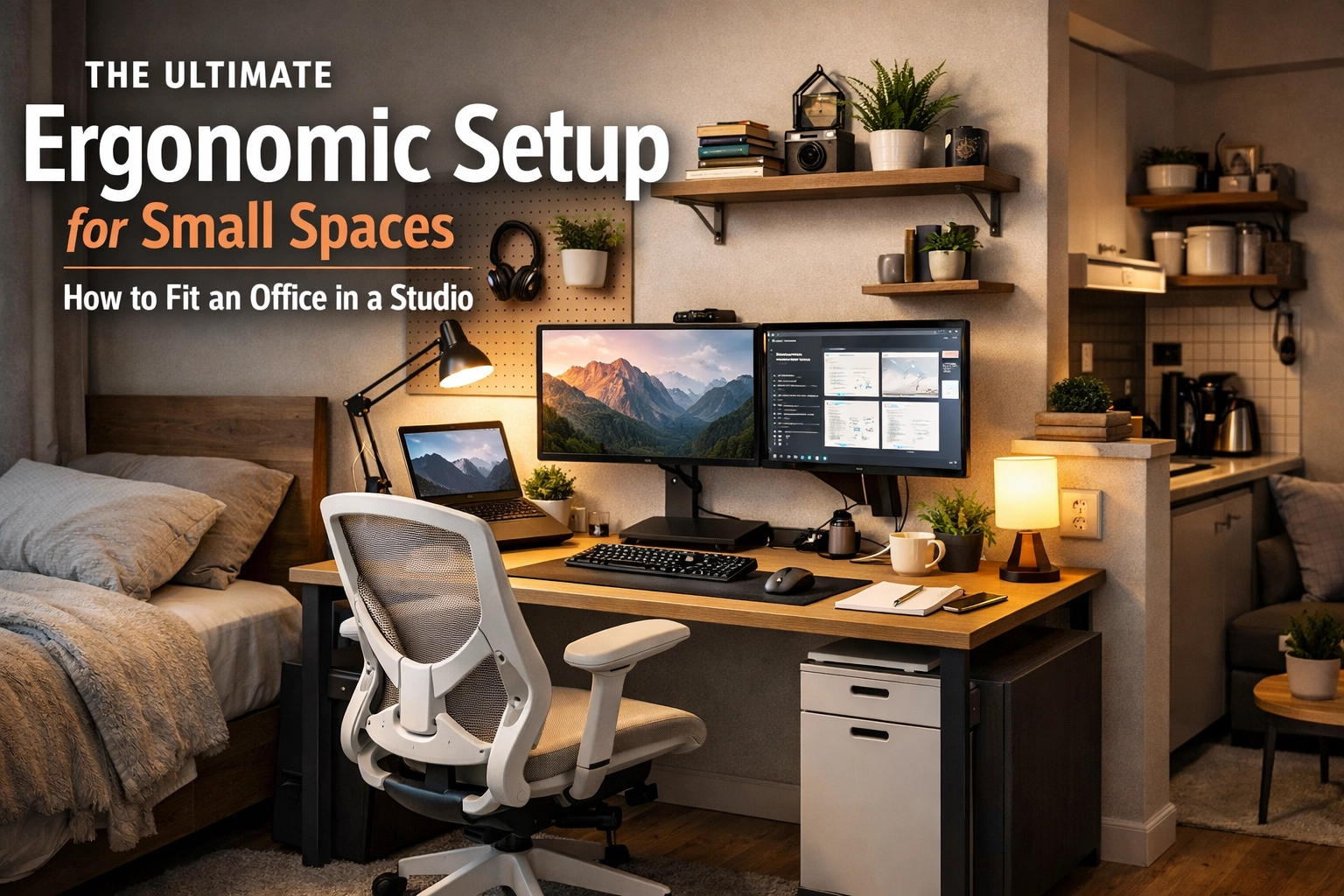
Living in a studio apartment in 2026 usually means your bedroom is also your living room, your kitchen, and: increasingly: your corporate headquarters. As remote work becomes the permanent standard for the global workforce, the "laptop on the couch" lifestyle has transitioned from a temporary novelty to a chronic health hazard.
The challenge isn't just finding a place for a desk; it's engineering a professional-grade workstation within a footprint of less than 15 square feet. Achieving peak productivity while protecting your musculoskeletal health requires a blend of technical precision and minimalist design. This is how you build a world-class ergonomic setup without sacrificing your living space.
The Spatial Psychology of the "Cloffice" and Visual Zoning
Before buying hardware, you have to address the psychological toll of working where you sleep. In a studio, the lack of physical barriers can lead to "workspace creep," where your brain never fully enters a state of relaxation because your monitors are always in your peripheral vision.
The most effective technical solution for 2026 is Visual Zoning. This involves creating a dedicated "Work Zone" using a high-density rug or a modular room divider. However, if space is truly at a premium, the "Cloffice" (Closet-Office) remains the gold standard. By removing closet doors and installing a floating desk system, you can effectively "close the office" at 5:00 PM.
If a closet isn't an option, look for Negative Space Placement. Identify unused corners near natural light sources. Data from the 2025 Workplace Wellness Report indicates that proximity to a window increases cognitive performance by 15% and significantly regulates circadian rhythms, which is vital when your home and office share the same air.
The Minimalist Desk: Technical Specifications for Small Footprints
In a small studio, every inch of floor space is high-value real estate. A standard 60-inch executive desk is out of the question. You need to look at Verticality and Multi-functionality.
1. The Wall-Mounted Floating Desk
A floating desk eliminates the need for legs, which opens up "leg room" and creates the illusion of more floor space. For a studio, a desk width of 32 to 40 inches is the sweet spot. Ensure the desk is mounted at a height that allows your elbows to rest at a 90-degree angle when seated.
2. The Electric Standing Desk Converter
If you already have a sturdy piece of furniture, like a sideboard or a heavy-duty dresser, don't replace it. Use a Z-style standing desk converter. These have a smaller footprint than a full desk and allow you to transition from sitting to standing in seconds. In 2026, many of these are ultra-slim, collapsing to less than 1.5 inches in height when not in use.
3. The Ladder Desk
Ladder desks utilize vertical wall space for storage. While they offer a smaller depth (usually 18–22 inches), they provide multiple shelves above the monitor for routers, books, and hard drives.

Ergonomic Seating: Support Over Size
The biggest mistake studio dwellers make is using a dining chair or a bulky "gaming" chair. A dining chair lacks the 5-point lumbar support necessary for 8-hour shifts, and a gaming chair's "bucket seat" design is often too wide for a small apartment.
For 2026, the trend has shifted toward Compact Performance Task Chairs. Brands like Herman Miller and Steelcase have released "light" versions of their flagship models that maintain full ergonomic adjustments: seat depth, armrest height, and tilt tension: but with a narrower frame.
Technical Checklist for your Chair:
- Lumbar Depth: Should follow the natural S-curve of your spine.
- Breathable Mesh: Essential in small spaces where airflow might be restricted.
- Armrest Retraction: Look for armrests that fold up or slide back so the chair can be tucked fully under the desk when you aren't working.
The Monitor Arm: The Ultimate Space Saver
If you take only one piece of advice from this guide, let it be this: Buy a high-quality gas-spring monitor arm.
A standard monitor stand takes up about 10–15% of your desk surface. By clamping a monitor arm to the back of your desk, you reclaim that surface area for your keyboard, mouse, or notebook. More importantly, it allows for "3D positioning." You can pull the screen closer for focus work or push it back and rotate it 90 degrees (vertical) for coding or reading long documents.
The Golden Rule of Monitor Placement:
The top third of your screen should be at eye level. In a studio, where your desk might be shallower than a standard office desk (less than 24 inches), a monitor arm is the only way to ensure the screen is far enough away (approx. 20–30 inches) to prevent digital eye strain and "tech neck."

Movement Protocols: The "20-8-2" Rhythm
Since your "commute" is now five steps from the bed to the desk, your body isn't getting the incidental movement it needs. In a small space, you have to engineer movement into your schedule. We recommend the 20-8-2 Rule, a data-driven protocol for sedentary workers:
- 20 Minutes Sitting: Focus on precision tasks. Ensure your feet are flat on the floor.
- 8 Minutes Standing: Use your standing desk or converter. This is the time for calls, emails, or Slack management.
- 2 Minutes Moving: This is non-negotiable. Walk to the kitchen, do three sun salutations, or perform "Zone 2" dynamic stretching.
Even in a 400-square-foot studio, those two minutes of movement are enough to reset your pelvic tilt and re-oxygenate your blood, preventing the "brain fog" often associated with cramped working conditions.
Technical Cable Management and Hardware Consolidation
Visual clutter in a small space leads to mental clutter. A tangle of wires under a small desk makes the entire room look messy.
- Thunderbolt 4 / USB-C Docking Stations: 2026 hardware allows you to run power, data, and dual 4K video through a single cable. Hide the dock under the desk using industrial-strength Velcro.
- Cable Trays: Attach a J-channel or a mesh tray to the underside of your desk to house power strips.
- Wireless Peripherals: Use a mechanical "low-profile" wireless keyboard and a vertical mouse. Not only do they save space, but the vertical mouse prevents carpal tunnel by keeping your wrist in a "handshake" position.

Lighting and Environmental Engineering
Proper lighting is often overlooked in small-office setups. In a studio, your overhead light is likely a "warm" bulb designed for relaxation. This is terrible for focus.
- The Task Light: Use a high-CRI (Color Rendering Index) LED desk lamp. Look for a model with adjustable color temperature. Set it to 5000K (Daylight) during work hours to suppress melatonin and keep you alert, then shift it to 2700K (Warm) in the evening.
- Monitor Light Bars: These sit on top of your screen and illuminate your workspace without causing glare on the glass. This is the most space-efficient lighting solution for small desks.
- Acoustic Management: In a studio, noise echoes. If you share the space with a partner or have noisy neighbors, invest in Active Noise Canceling (ANC) headphones and consider adding a few felt acoustic panels to the wall behind your monitor. They act as both a sound dampener and a visual "pinboard" for notes.
Summary Checklist for the Ergonomic Studio Office
| Component | Technical Recommendation | Space-Saving Benefit |
|---|---|---|
| Desk | 32-40" Wall-mounted or Murphy Style | Zero floor footprint when closed. |
| Chair | Compact Mesh Task Chair with folding arms | Tucks fully under the desk. |
| Monitor | 27" 4K on a Gas-Spring Arm | Reclaims 100+ sq inches of desk space. |
| Input | Low-profile Wireless Mechanical Keyboard | Reduced height, no cable clutter. |
| Lighting | LED Monitor Light Bar (CRI > 90) | No footprint; reduces eye strain. |
| Movement | 20-8-2 Protocol | Prevents sedentary health risks in small zones. |
Final Thoughts
Fitting a high-performance office into a studio isn't about compromise; it’s about optimization. By prioritizing vertical storage, investing in a high-quality monitor arm, and adhering to strict movement protocols, you can create a workspace that rivals any corporate headquarters. Your physical health and your productivity are worth the investment in a technical, ergonomic setup.
About the Author: Malibongwe Gcwabaza
CEO, Blog and YouTube
Malibongwe Gcwabaza is the CEO of blog and youtube, a digital media firm specializing in high-performance remote work cultures and technical SEO. With over a decade of experience in digital infrastructure and workplace ergonomics, Malibongwe focuses on the intersection of human biology and modern technology. He is a staunch advocate for "frugal optimism" and minimalist living, helping thousands of remote professionals optimize their physical and digital environments for peak output. When he’s not analyzing the latest Google Core updates, he can be found exploring the future of sustainable urban living and AI-integrated workspaces.
About the Author


